Quota Mirror
Claude Usage
Live Claude.ai quota in your system tray. Auto-refreshing, auto-updating.
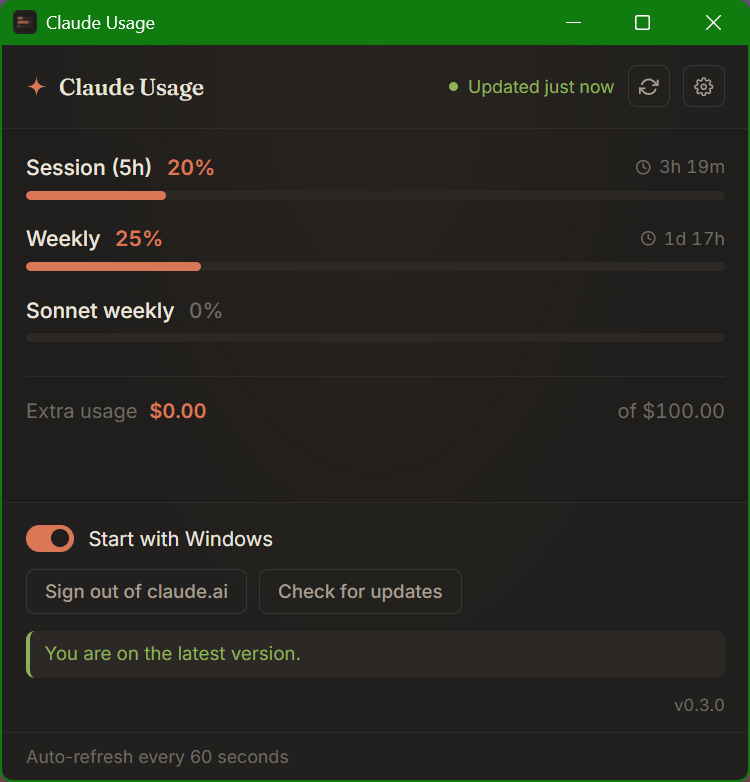
Three reasons to install
Live, every 60 s
The hidden webview reads your session and pings /usage on a steady tick — no console paste, no extra tabs.
Tray-resident
Park it on a second monitor or hide it in the tray. Toggle "Start with Windows" once and forget about it.
Updates itself
Install once. New versions are signed (Ed25519), auto-downloaded from GitHub, and applied on the next launch.
Three-step setup
- Download & run the MSI. Windows SmartScreen will warn — click More info → Run anyway. The installer drops a tray icon and opens the main window.
- Sign in to claude.ai once. An embedded webview pops up on first launch. Use email login (Google OAuth is blocked inside embedded webviews — that's a Google policy, not ours).
- That's it. The widget renders your live quota and refreshes every minute. Toggle Start with Windows in the gear menu if you want it always-on.
Or use the web mini version
Web mini version (no install)
The original "fun" mode kept around for unusual cases — you're on someone else's PC, you're on macOS / Linux, or you just want a peek without installing. It pastes a tiny snippet into the claude.ai DevTools console; that snippet pushes the same JSON over to this page via postMessage.
- Open
claude.ai(logged in), press F12 → Console tab. - Copy the snippet below, paste it, press Enter. Type
allow pastingif Chrome asks. - This page updates here while the claude.ai tab stays open.
loading…